 Nerd alert! I waited in line and got the iPhone5 this morning.
I can’t contain my excitement until next Tuesday’s post, so I thought I’d share just one cool “business productivity” feature with you today. It has to do with receiving–or, rather, not receiving–phone calls.
So…
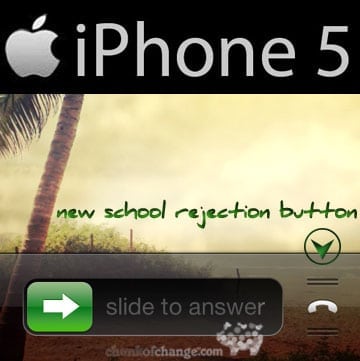
When you receive a call, you can swipe upward on the right phone icon to show two new options” “Reply With Message” or “Remind Me Later.”
Caveat: Incoming phone # cannot be blocked. The phone number must show properly or the caller has to already be in your address book for these options to work.
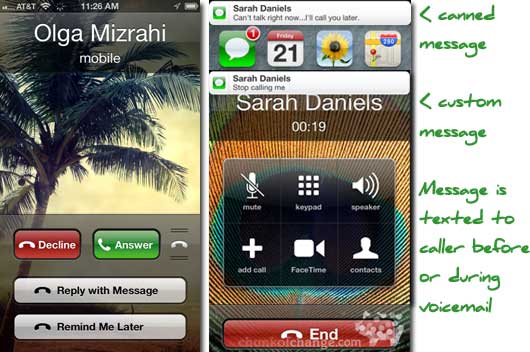
iPhone5 Reply With Message
You can send one of the following text messages:
- I’ll call you later.
- I’m on my way.
- What’s up?
- Custom (write your own text message)
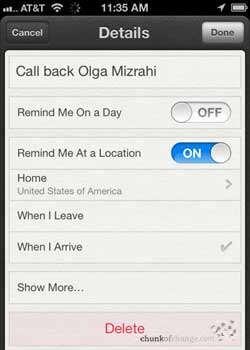
iPhone5 Remind Me Later
With “Remind Me Later,” you get four choices:
- In 1 Hour
- When I Leave
- When I Get To Work
- When I Get Home
Obviously, the last three choices are location-based and show up in your “Reminders” list.
Awesome!
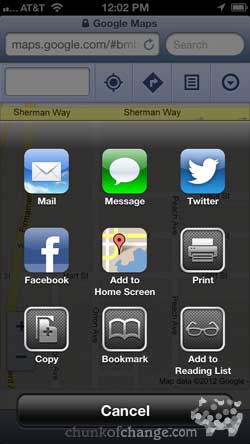 (Want to know what’s NOT awesome? Apple Maps…which took over the Google Maps app. FAIL. No traffic in Los Angeles? Major fail. There is a way to add back Google Maps to the iPhone5 or iOS6, seen here to the right, but it still won’t give you any traffic. It just goes to the mobile version of maps in Safari. Predictably, it is rumored that a Google Maps app is awaiting apple app approval as I write…)
Okay. That’s it for today. I’ll share other tips and tricks soon, so go out and get your 5 already!
Update 9/22: OK, Apple maps are now showing Los Angeles traffic, but only a red dashed line. What happened to yellow and green? Us LA people rely heavily on those speed indicators to get around, Apple!